Merge multiple images into a single PDF — fast & simple.
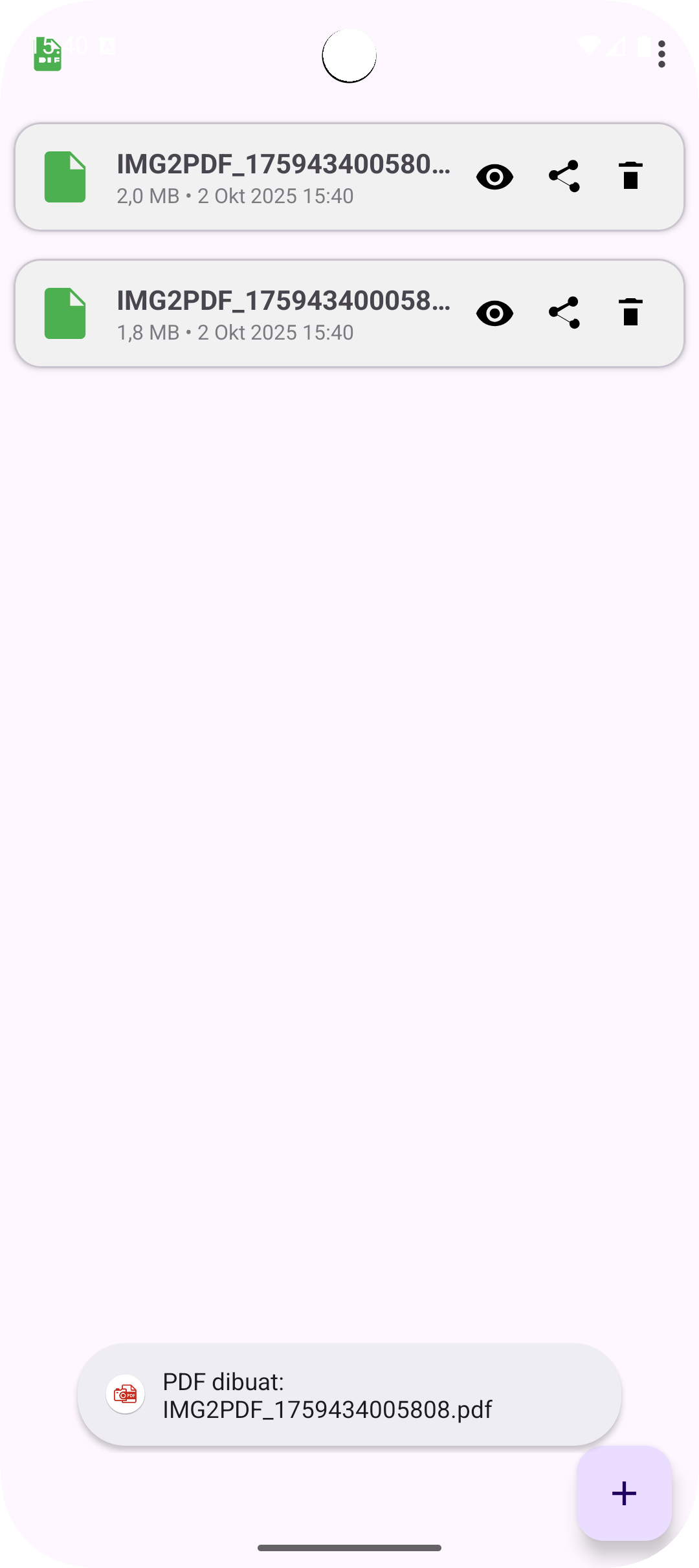
Pick images from your gallery, choose A4 or fit-to-image, and export. Files appear on the dashboard with quick share & delete actions.
Why img2pdf?
Pick multiple images
Use Android’s photo picker or document picker. No complicated steps.
A4 or Fit-to-image
Choose standard A4 pages or keep each page sized to the image.
Dashboard control
See your PDFs at a glance. Quick View, Share, and Delete.
Lightweight
Runs smooth on all devices. No bloat, just gets the job done.
Private by design
Your images stay on-device. We don’t collect personal data.
Open Source
Auditable code. Contribute on GitHub.
FAQ
Is the app free?
Yes. It’s free and open source.
Where are my PDFs stored?
In the app’s Documents directory so you can share or delete them easily from the dashboard.
Does the app require storage permission?
No. It uses Android’s system pickers with temporary read access.
Can I reorder pages or rotate images?
The first release focuses on speed and simplicity. Advanced editing is planned. Contributions are welcome on GitHub.
How can I contact the developer?
Email [email protected] or visit Arizu Studio.